Remote work solved a lot of problems. The audio setup wasn't one of them.
If your day looks anything like most hybrid workers' bouncing between Zoom, Teams, Slack Huddles, phone calls, and actual focused work you already know how much friction lives in the earbuds. Digging them out for a quick call. Putting them back. Forgetting to charge them. Wearing them long enough that your ears start to ache. It's a small thing until it isn't.
More remote professionals are switching to open-ear audio glasses, and the reason is pretty simple: you put them on in the morning and your audio is just handled. Calls, music, notifications all through the frames, all day, without putting anything in your ears.
Why Your Audio Setup Is a Productivity Problem
The modern workday is built on context switches. You're in a meeting, then you're taking notes, then you're answering a quick message, then you're trying to do actual deep work. Traditional earbuds and headphones hold up fine for a stretch, but they create their own friction over a full day. They get uncomfortable. They need charging at the worst times. And they isolate you from your environment when you still need to be somewhat present in it.
Open-ear audio glasses deliver sound through speakers built into the frame, positioned near your ears without sealing them. You stay connected to your meetings without cutting yourself off from the room. For remote professionals, that's a meaningful difference fewer audio compromises, more flexibility, and one less thing to think about during a packed day.
What Open-Ear Audio Glasses Actually Are
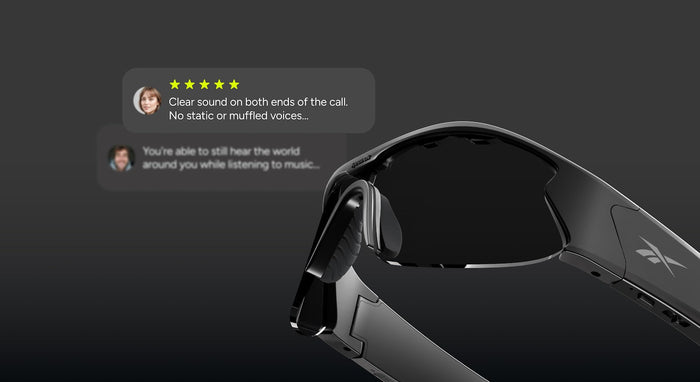
Open-ear audio glasses integrate speakers and microphones directly into the frame. Nothing goes in your ears. You hear calls, music, and notifications clearly, while your ears stay open to everything around you.
They're also worth distinguishing from camera glasses or AI camera frames, which are built around visual capture rather than audio-first productivity. If your main use case is work calls and hands-free convenience, the value is straightforward: a professional-looking pair of glasses that keeps you available, mobile, and comfortable from the first meeting to the last.
Where They Actually Make a Difference at Work
- Zoom and Teams calls. Join without reaching for earbuds. Short meetings become effortless. Long ones become significantly less exhausting.
- Slack Huddles. Open-ear audio is genuinely perfect for spontaneous check-ins no setup delay, no fumbling.
- Working from home. You can hear your meeting clearly and still notice the front door, a kid calling from the other room, or anything else that needs your attention.
- Travel days. Stay on calls in airports or co-working spaces without blocking out your surroundings entirely.
- Back-to-back calls. Less ear fatigue means you stay sharper longer. That compounds over a full day.
What to Look for in Bluetooth Glasses for Work
A few things matter more than others when you're using these for work specifically:
Battery life for a full day of intermittent use. You're not running audio continuously you're joining calls, stepping away, joining more calls. Look for frames that handle that pattern without needing a midday charge.
Microphone quality. This is non-negotiable. Your colleagues need to hear you clearly. A great speaker system in a frame with a mediocre mic is still a bad call experience.
Comfort and fit. If you're wearing these for eight hours, weight and balance matter more than almost anything else on the spec sheet.
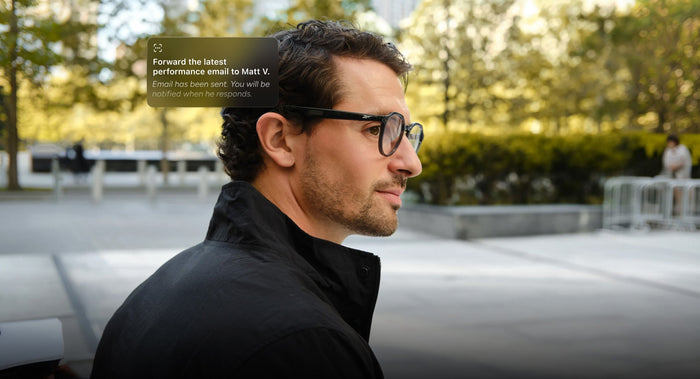
Professional styling. On a video call, your glasses are visible. Frames that look like regular eyewear clean lines, no bulky hardware, no visible camera modules look exactly right in a meeting context.
Open-ear sound design. The whole point is keeping your ears open while maintaining a clear private audio channel. Make sure the design actually delivers on that.
The Best Options for Remote Professionals in 2026
Lucyd Lyte is designed for people who want open-ear audio glasses that fit the actual rhythm of a workday calls, commuting, focused time, and everything in between. Clean frame design, all-day wearability, and hands-free call handling built for Teams, Zoom, and Slack.
For professionals who want something with a stronger style angle, the Reebok Smart Eyewear optical line delivers the same open-ear audio experience in frames that lead with brand and fashion-forward design without sacrificing the functionality that makes them useful at work.
A Few Questions Remote Workers Ask
Can you actually use smart glasses for Zoom calls?
Yes. Smart glasses with built-in microphones and open-ear speakers connect via Bluetooth to your phone or laptop and work with Zoom, Teams, Slack, and any other calling platform. From the other side of the call, they look like glasses and sound like a decent microphone setup.
Are open-ear audio glasses comfortable for all-day wear?
That's exactly what they're designed for. Because nothing goes inside your ears, you avoid the fatigue that comes with extended earbud use. Lightweight frames and solid battery life are the two things to prioritize if you're planning to wear them through a full workday.
Do smart glasses look professional on a video call?
The best audio glasses are styled to look like regular eyewear clean frames, no bulky hardware, no visible camera module. On a video call they look like glasses, which is exactly the point.
What's the difference between audio glasses and camera glasses?
Audio glasses are built around open-ear listening, hands-free calls, and all-day comfort. Camera glasses are built around capturing video or photos, and they typically have a more tech-forward look that reflects the hardware they're carrying. If productivity is the goal, audio-first is the stronger choice.
Ready to upgrade your remote work setup? Explore Lucyd smart glasses →