If you spend your day bouncing between Microsoft Teams, Zoom, Slack, and in-person work, the best audio gear is the kind that disappears into the background. That is the promise of smart glasses for office calls.
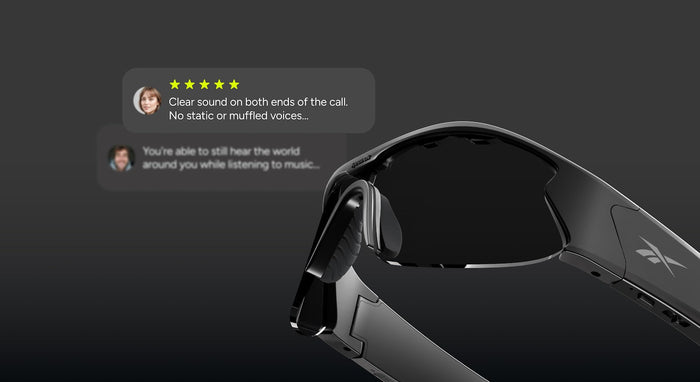
Open ear glasses for Teams calls let you hear the meeting clearly while still staying aware of your environment. You do not get sealed off from the room, so you can hear a coworker ask a question, keep an eye on the front door, or stay tuned in to your home office. For hybrid workers, that is a real productivity advantage.
Lucyd Lyte and AERO are designed for that exact use case. They deliver hands-free audio for calls and AI access without the pain points of earbuds. No more falling earbuds, no more pressure in the ear canal, and no need to swap between devices as you move from one work mode to another.
The no-camera design is part of the value proposition. In a work setting, not having a camera built into the glasses means fewer privacy concerns and broader everyday usability. You can wear them in calls, at your desk, in open-plan spaces, and around the office without the awkwardness that camera glasses can create.
For people who live in back-to-back meetings, the biggest win is consistency. The same pair of glasses can handle calls, music, and voice prompts while remaining comfortable enough to wear through the day. That makes them a better long-term setup than constantly reaching for earbuds or a headset.
Lucyd's open-ear audio approach is built for the way modern work actually happens: partially remote, partially in-office, and always moving. If you want a hands-free call setup that keeps you present and productive, smart glasses are a strong upgrade.
FAQ
Can you use smart glasses for Zoom calls? Yes. Smart glasses with Bluetooth audio can function as a hands-free calling device for Zoom and similar meeting platforms.
What are the best glasses for hands-free calls? The best option is usually open-ear audio glasses that are comfortable, stable, and designed for long wear.
Do smart glasses work with Microsoft Teams? Yes, if they connect through Bluetooth audio like a headset or speakerphone accessory.

Smart Glasses for Microsoft Teams and Zoom Calls: The Hands-Free Work Setup
If you spend your day bouncing between Microsoft Teams, Zoom, Slack, and in-person work, the best audio gear is the kind that disappears into the background. That is the promise of smart glasses for office calls.
Open ear glasses for Teams calls let you hear the meeting clearly while still staying aware of your environment. You do not get sealed off from the room, so you can hear a coworker ask a question, keep an eye on the front door, or stay tuned in to your home office. For hybrid workers, that is a real productivity advantage.
Lucyd Lyte and AERO are designed for that exact use case. They deliver hands-free audio for calls and AI access without the pain points of earbuds. No more falling earbuds, no more pressure in the ear canal, and no need to swap between devices as you move from one work mode to another.
The no-camera design is part of the value proposition. In a work setting, not having a camera built into the glasses means fewer privacy concerns and broader everyday usability. You can wear them in calls, at your desk, in open-plan spaces, and around the office without the awkwardness that camera glasses can create.
For people who live in back-to-back meetings, the biggest win is consistency. The same pair of glasses can handle calls, music, and voice prompts while remaining comfortable enough to wear through the day. That makes them a better long-term setup than constantly reaching for earbuds or a headset.
Lucyd's open-ear audio approach is built for the way modern work actually happens: partially remote, partially in-office, and always moving. If you want a hands-free call setup that keeps you present and productive, smart glasses are a strong upgrade.
FAQ
Can you use smart glasses for Zoom calls? Yes. Smart glasses with Bluetooth audio can function as a hands-free calling device for Zoom and similar meeting platforms.
What are the best glasses for hands-free calls? The best option is usually open-ear audio glasses that are comfortable, stable, and designed for long wear.
Do smart glasses work with Microsoft Teams? Yes, if they connect through Bluetooth audio like a headset or speakerphone accessory.